'%3e%3crect%20width='32'%20height='32'%20rx='5.35565'%20fill='%2332819B'/%3e%3cpath%20d='M25.8138%2031.9842H6.16257C2.76843%2031.9842%200.015625%2029.2327%200.015625%2025.8372V6.18601C0.015625%202.79187%202.76709%200.0390625%206.16257%200.0390625H25.8138C29.2079%200.0390625%2031.9607%202.79053%2031.9607%206.18601V25.8372C31.9607%2029.2314%2029.2093%2031.9842%2025.8138%2031.9842Z'%20fill='%2332819B'/%3e%3cpath%20d='M8.62811%2012.9461H15.7846L9.40735%2020.8135C8.63212%2021.7695%208.70844%2023.1834%209.57606%2023.9653C9.98978%2024.3389%2010.5227%2024.5437%2011.0756%2024.5437C11.7545%2024.5437%2012.3904%2024.2411%2012.8162%2023.7149L22.352%2011.9513C22.8835%2011.2952%2022.9839%2010.4477%2022.6211%209.68582C22.2582%208.92398%2021.5366%208.46875%2020.6917%208.46875H8.5625L8.62811%2012.9447V12.9461Z'%20fill='white'/%3e%3cpath%20d='M18.9639%2020.9375C17.7281%2020.9375%2016.57%2021.4235%2015.705%2022.3072C15.0905%2022.9352%2014.6781%2023.7064%2014.5%2024.5445H23.4279C23.2498%2023.7064%2022.8387%2022.9352%2022.2228%2022.3072C21.3566%2021.4235%2020.1997%2020.9375%2018.9626%2020.9375'%20fill='white'/%3e%3c/g%3e%3cdefs%3e%3cclipPath%20id='clip0_56_5821'%3e%3crect%20width='32'%20height='32'%20rx='5.35565'%20fill='white'/%3e%3c/clipPath%3e%3c/defs%3e%3c/svg%3e)


'%3e%3cpath%20d='M12.0365%2014.875V13.4583C12.0365%2012.7069%2011.7379%2011.9862%2011.2066%2011.4549C10.6752%2010.9235%209.95457%2010.625%209.20312%2010.625H3.53646C2.78501%2010.625%202.06434%2010.9235%201.53299%2011.4549C1.00164%2011.9862%200.703125%2012.7069%200.703125%2013.4583V14.875'%20stroke='%23111111'%20stroke-width='1.41667'%20stroke-linecap='round'%20stroke-linejoin='round'/%3e%3cpath%20d='M6.3724%207.79167C7.9372%207.79167%209.20573%206.52314%209.20573%204.95833C9.20573%203.39353%207.9372%202.125%206.3724%202.125C4.80759%202.125%203.53906%203.39353%203.53906%204.95833C3.53906%206.52314%204.80759%207.79167%206.3724%207.79167Z'%20stroke='%23111111'%20stroke-width='1.41667'%20stroke-linecap='round'%20stroke-linejoin='round'/%3e%3cpath%20d='M16.2865%2014.8747V13.458C16.286%2012.8303%2016.077%2012.2204%2015.6924%2011.7243C15.3078%2011.2281%2014.7693%2010.8737%2014.1615%2010.7168M11.3281%202.2168C11.9376%202.37284%2012.4778%202.72729%2012.8635%203.22427C13.2493%203.72124%2013.4587%204.33247%2013.4587%204.96159C13.4587%205.59071%2013.2493%206.20194%2012.8635%206.69891C12.4778%207.19588%2011.9376%207.55033%2011.3281%207.70638'%20stroke='%23111111'%20stroke-width='1.41667'%20stroke-linecap='round'%20stroke-linejoin='round'/%3e%3c/g%3e%3cdefs%3e%3cclipPath%20id='clip0_525_3636'%3e%3crect%20width='17'%20height='17'%20fill='white'/%3e%3c/clipPath%3e%3c/defs%3e%3c/svg%3e)
 Inventory
'%3e%3cpath%20d='M4%2014.6654V2.66536C4%202.31174%204.14048%201.9726%204.39052%201.72256C4.64057%201.47251%204.97971%201.33203%205.33333%201.33203H10.6667C11.0203%201.33203%2011.3594%201.47251%2011.6095%201.72256C11.8595%201.9726%2012%202.31174%2012%202.66536V14.6654H4Z'%20stroke='%230A0F1C'%20stroke-width='1.3'%20stroke-linecap='round'%20stroke-linejoin='round'/%3e%3cpath%20d='M4.0026%208H2.66927C2.31565%208%201.97651%208.14048%201.72646%208.39052C1.47641%208.64057%201.33594%208.97971%201.33594%209.33333V13.3333C1.33594%2013.687%201.47641%2014.0261%201.72646%2014.2761C1.97651%2014.5262%202.31565%2014.6667%202.66927%2014.6667H4.0026'%20stroke='%230A0F1C'%20stroke-width='1.3'%20stroke-linecap='round'%20stroke-linejoin='round'/%3e%3cpath%20d='M12%206H13.3333C13.687%206%2014.0261%206.14048%2014.2761%206.39052C14.5262%206.64057%2014.6667%206.97971%2014.6667%207.33333V13.3333C14.6667%2013.687%2014.5262%2014.0261%2014.2761%2014.2761C14.0261%2014.5262%2013.687%2014.6667%2013.3333%2014.6667H12'%20stroke='%230A0F1C'%20stroke-width='1.3'%20stroke-linecap='round'%20stroke-linejoin='round'/%3e%3cpath%20d='M6.66406%204H9.33073'%20stroke='%230A0F1C'%20stroke-width='1.3'%20stroke-linecap='round'%20stroke-linejoin='round'/%3e%3cpath%20d='M6.66406%206.66797H9.33073'%20stroke='%230A0F1C'%20stroke-width='1.3'%20stroke-linecap='round'%20stroke-linejoin='round'/%3e%3cpath%20d='M6.66406%209.33203H9.33073'%20stroke='%230A0F1C'%20stroke-width='1.3'%20stroke-linecap='round'%20stroke-linejoin='round'/%3e%3cpath%20d='M6.66406%2012H9.33073'%20stroke='%230A0F1C'%20stroke-width='1.3'%20stroke-linecap='round'%20stroke-linejoin='round'/%3e%3c/g%3e%3cdefs%3e%3cclipPath%20id='clip0_1625_4031'%3e%3crect%20width='16'%20height='16'%20fill='white'/%3e%3c/clipPath%3e%3c/defs%3e%3c/svg%3e) Assets
Assets Contracts
 Projects
 Fleet
Fleet Service Portal
 FieldFinance
 HR & Culture
 WhatsApp FSM
'%3e%3cpath%20d='M8.0026%2014.6654C11.6845%2014.6654%2014.6693%2011.6806%2014.6693%207.9987C14.6693%204.3168%2011.6845%201.33203%208.0026%201.33203C4.32071%201.33203%201.33594%204.3168%201.33594%207.9987C1.33594%2011.6806%204.32071%2014.6654%208.0026%2014.6654Z'%20stroke='%23111111'%20stroke-width='1.3'%20stroke-linecap='round'%20stroke-linejoin='round'/%3e%3cpath%20d='M8.0026%201.33203V3.9987M8.0026%2011.9987V14.6654M1.33594%207.9987H4.0026M12.0026%207.9987H14.6693'%20stroke='%23111111'%20stroke-width='1.3'%20stroke-linecap='round'%20stroke-linejoin='round'/%3e%3c/g%3e%3cdefs%3e%3cclipPath%20id='clip0_1625_4083'%3e%3crect%20width='16'%20height='16'%20fill='white'/%3e%3c/clipPath%3e%3c/defs%3e%3c/svg%3e) Employee/Technician Tracking
Employee/Technician Tracking GPS Attendance
 Work Order Management
 Quotations
 Invoicing
 Service Dispatch
'%3e%3cpath%20d='M8.0026%2014.6654C11.6845%2014.6654%2014.6693%2011.6806%2014.6693%207.9987C14.6693%204.3168%2011.6845%201.33203%208.0026%201.33203C4.32071%201.33203%201.33594%204.3168%201.33594%207.9987C1.33594%2011.6806%204.32071%2014.6654%208.0026%2014.6654Z'%20stroke='%23111111'%20stroke-width='1.3'%20stroke-linecap='round'%20stroke-linejoin='round'/%3e%3cpath%20d='M8%204V8L10.6667%209.33333'%20stroke='%23111111'%20stroke-width='1.3'%20stroke-linecap='round'%20stroke-linejoin='round'/%3e%3c/g%3e%3cdefs%3e%3cclipPath%20id='clip0_1625_4116'%3e%3crect%20width='16'%20height='16'%20fill='white'/%3e%3c/clipPath%3e%3c/defs%3e%3c/svg%3e) Overtime tracking software
Overtime tracking softwareWhat is a service report?
A service report is the record a service company gives its customer after a visit. It explains what was reported, what was done, what was found, the equipment's status and what should happen next.
TEMPLATES · Service report
A service report is what the customer receives after a visit: what was reported, what was done, what was found and what should happen next. This free service report format covers all of it on two pages, with the customer's acknowledgement, as a printable PDF or an editable Excel with your logo.
PDF downloads straight away, no form. The Excel asks for your name, company, work email and team size.
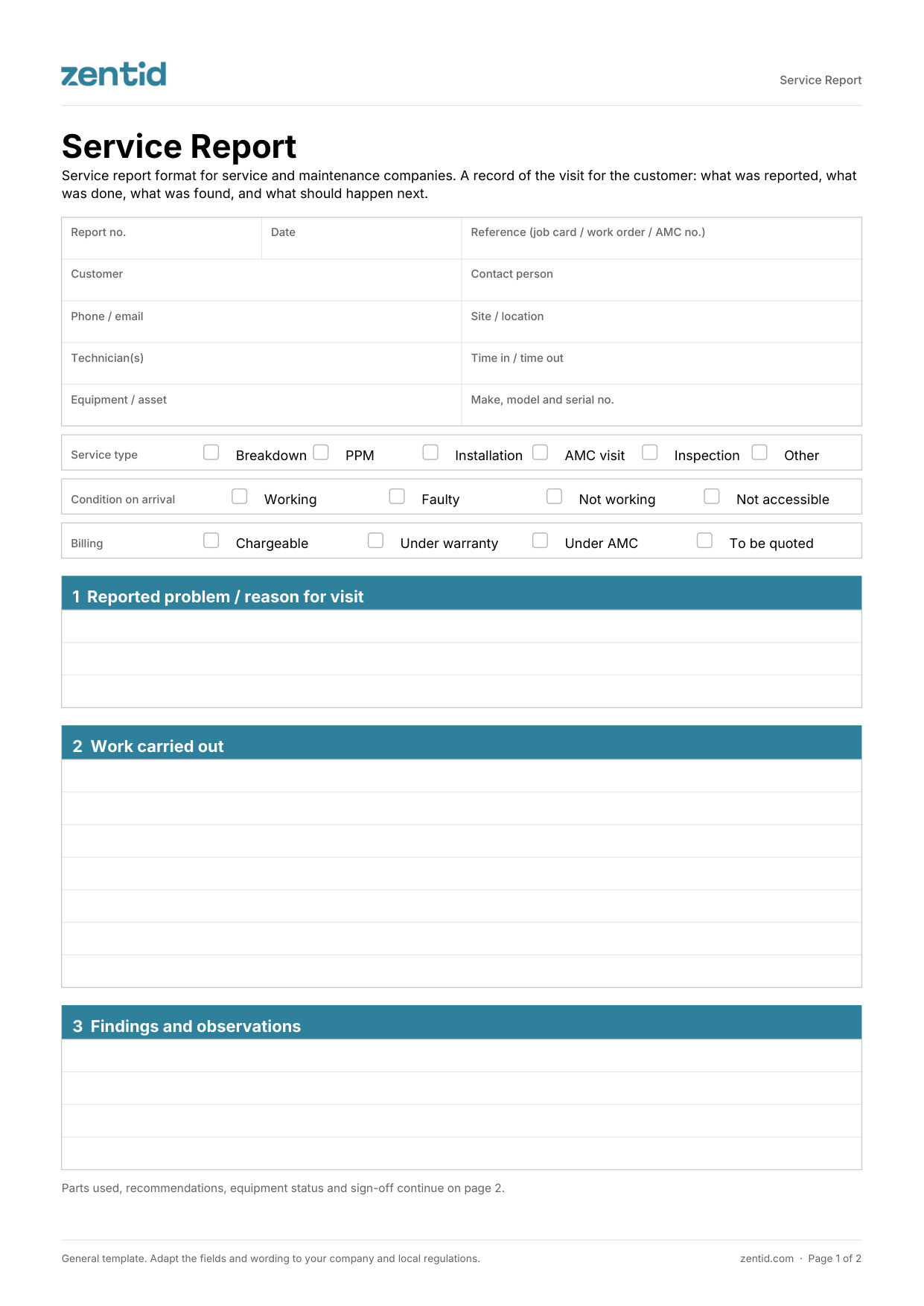
Service and maintenance companies that send a report to the customer after every visit: HVAC and AMC contractors, lift and fire and safety companies, equipment maintenance, cleaning and pest control, and facility management. Customers, especially those with maintenance contracts, use these reports as proof of each visit.
Fill in the report details, customer, site and equipment.
Tick the service type and the condition the equipment was in when you arrived.
Write the work carried out and anything you found, in plain words the customer understands.
List the parts used and your recommendations, and tick the follow-up needed.
Record the equipment status and the next service date.
Technician and customer sign. Send the customer their copy the same day.
| Document | When | What it answers |
|---|---|---|
| Work order | Before the job | What to do, where, when and what to bring |
| Job card | During the job | What was done, the parts and labour used, and the charges |
| Service report | After the job | What was found, what is recommended and the equipment status, for the customer |
With Zentid, the technician's notes, checklist, parts and photos become a branded PDF service report, in English or Arabic. The customer signs on screen, and the report is sent to them on WhatsApp when the job closes. Technicians work on WhatsApp with nothing to install, or in the Zentid Field app, which works offline.
A service report is the record a service company gives its customer after a visit. It explains what was reported, what was done, what was found, the equipment's status and what should happen next.
The job card is the internal record of the job, including parts, labour and charges. The service report is written for the customer and focuses on findings, recommendations and the equipment's condition.
Usually not. This format records parts used without prices; charges belong on the job card or the invoice.
Yes, in the Excel. Replace the logo box and type your company details into the pale yellow cells. The PDF is a fixed printable form.
The template is in English. In Zentid, service reports can be issued in English and Arabic.
No for the PDF: it downloads straight away. The editable Excel asks for your name, company, work email and team size.
Zentid's free service report format is a two-page record of a maintenance visit, written for the customer. It covers the customer, site and equipment, service type and condition on arrival, the problem reported, work carried out, findings, parts used, recommendations and follow-up, equipment status after service with the next service date, and technician and customer signatures. It comes as a printable PDF and an editable Excel with space for your logo.
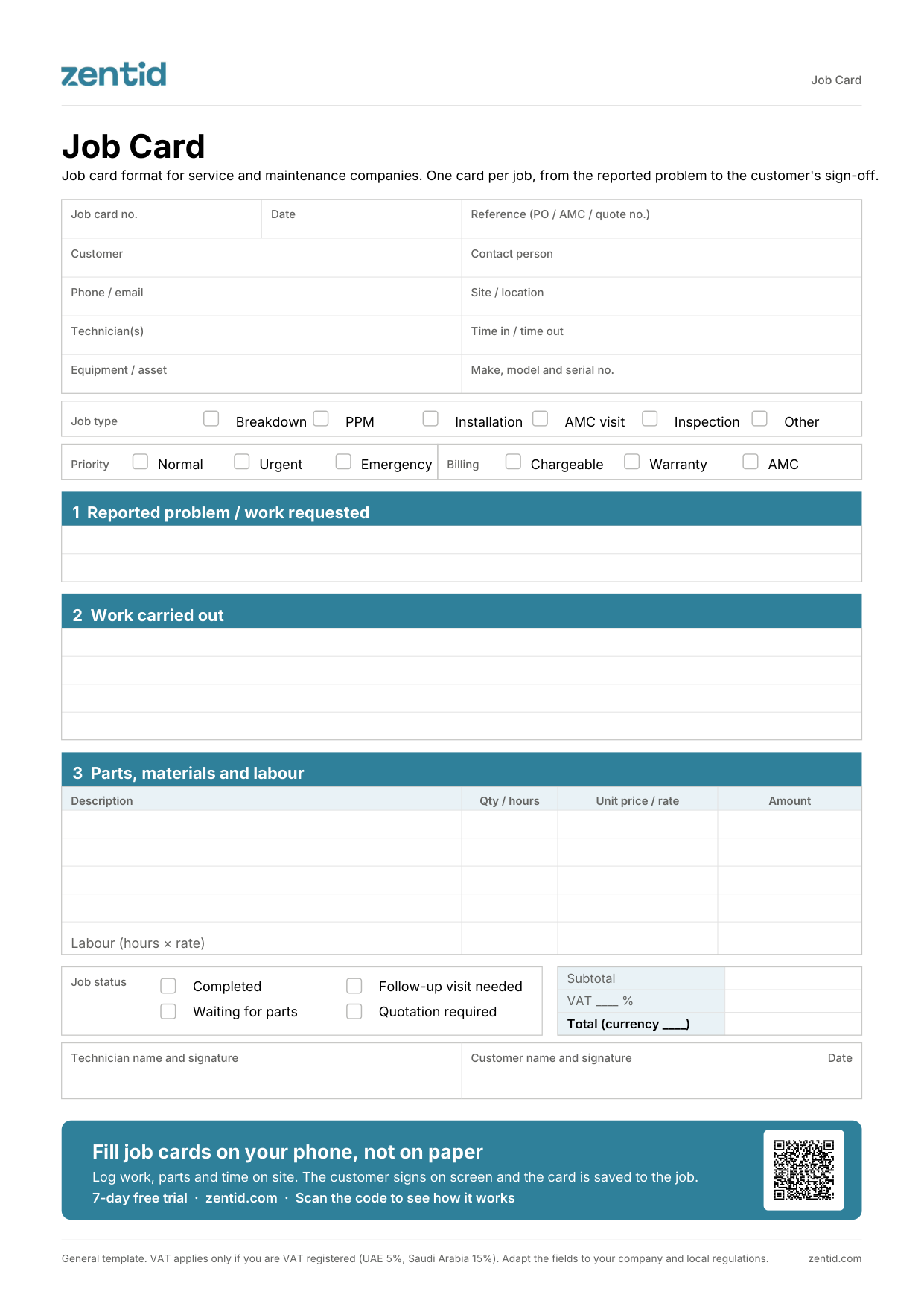
One page per job, from the reported problem to the customer's sign-off, with parts, labour and totals.
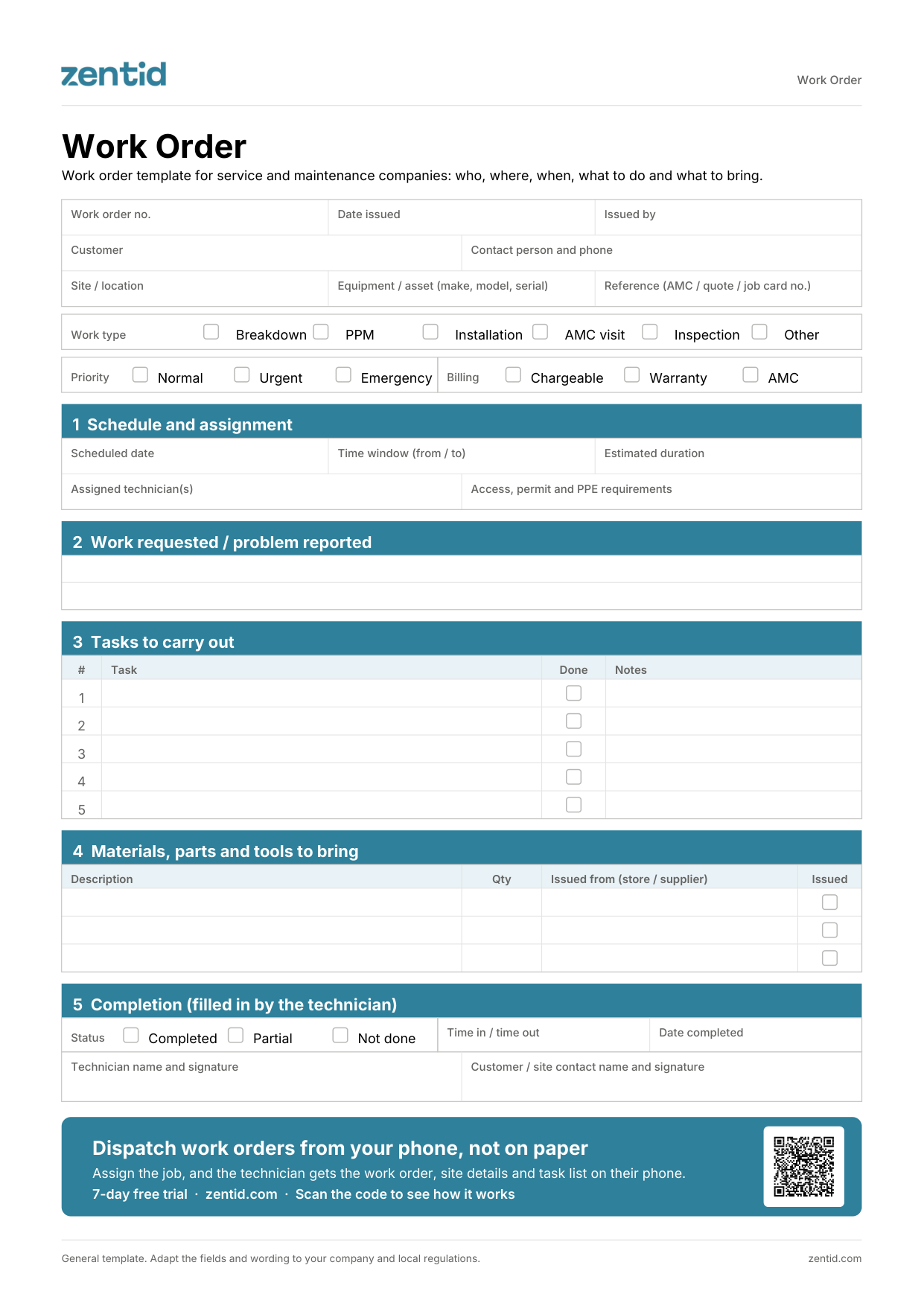
The technician's instruction before a job: site, schedule, tasks and materials to bring.
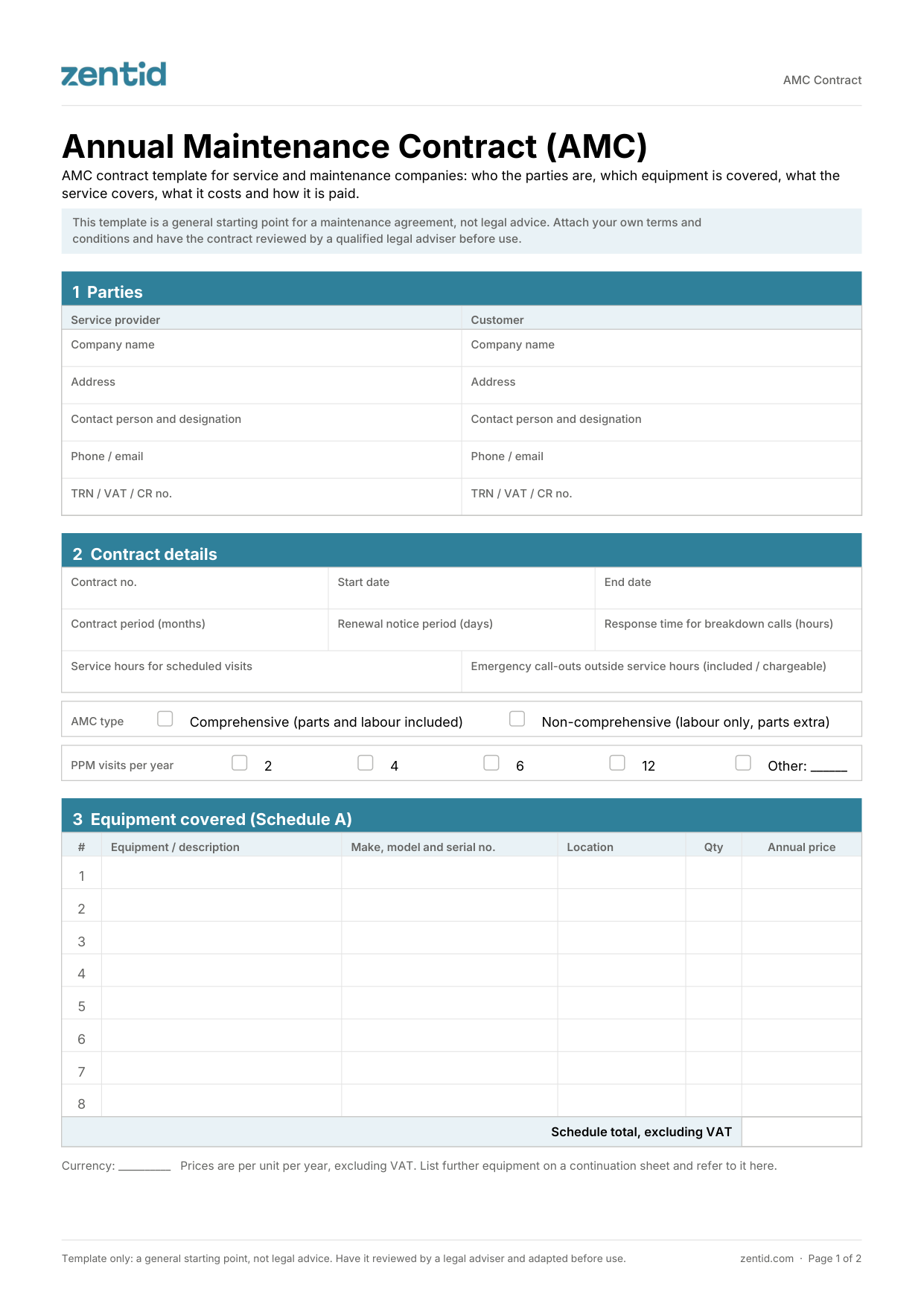
Annual maintenance contract with covered equipment, PPM visits, contract value and payment schedule.